Routes
Introduction
In "Creating HTML
Dynamically with erb" and
"Scaffolding and REST" we
came across routes. The configuration in config/routes.rb defines what
happens in the Rails application when a user fetches a URL. A route can be
static or dynamic and it can pass any dynamic values from the URL to the
controller as parameters. If several routes apply to the same URL, the
one that is listed higher up in config/routes.rb wins.
| If you do not have much time you can skip this chapter for now and get back to it later if you have any specific questions. |
Let’s first build a test Rails application so we can experiment:
$ rails new shop
  [...]
$ cd shop
$ bin/rails db:prepare
With bin/rails routes we can display the routes of a project. Let’s
try it straight away in the freshly created project:
$ bin/rails routes
                             Prefix Verb URI Pattern   Controller#Action
                 rails_health_check GET  /up(.:format) rails/health#show
[...]
A fresh Rails 8 app already has a handful of built-in routes:
a health-check endpoint at /up, Turbo helpers, Action Mailbox
ingresses, Active Storage and so on. Our own routes will
appear at the top of the list, above all of these.
|
HTTP GET Requests for Singular Resources
As you might know the HTTP protocol uses different so-called verbs to access content on the web server (e.g. GET to request a page or POST to send a form to the server). First we’ll have a look at GET requests.
Create a controller with three pages:
$ bin/rails generate controller Home index ping pong
      create  app/controllers/home_controller.rb
       route  get "home/index"
              get "home/ping"
              get "home/pong"
       [...]
Now bin/rails routes lists a route for these three pages:
$ bin/rails routes
    Prefix Verb URI Pattern           Controller#Action
home_index GET  /home/index(.:format) home#index
 home_ping GET  /home/ping(.:format)  home#ping
 home_pong GET  /home/pong(.:format)  home#pong
[...]
The pages can be accessed at the following URLs after starting the
Rails server with bin/rails server:
-
http://localhost:3000/home/index
for
home_index GET /home/index(.:format) home#index -
http://localhost:3000/home/ping
for
home_ping GET /home/ping(.:format) home#ping -
http://localhost:3000/home/pong
for
home_pong GET /home/pong(.:format) home#pong
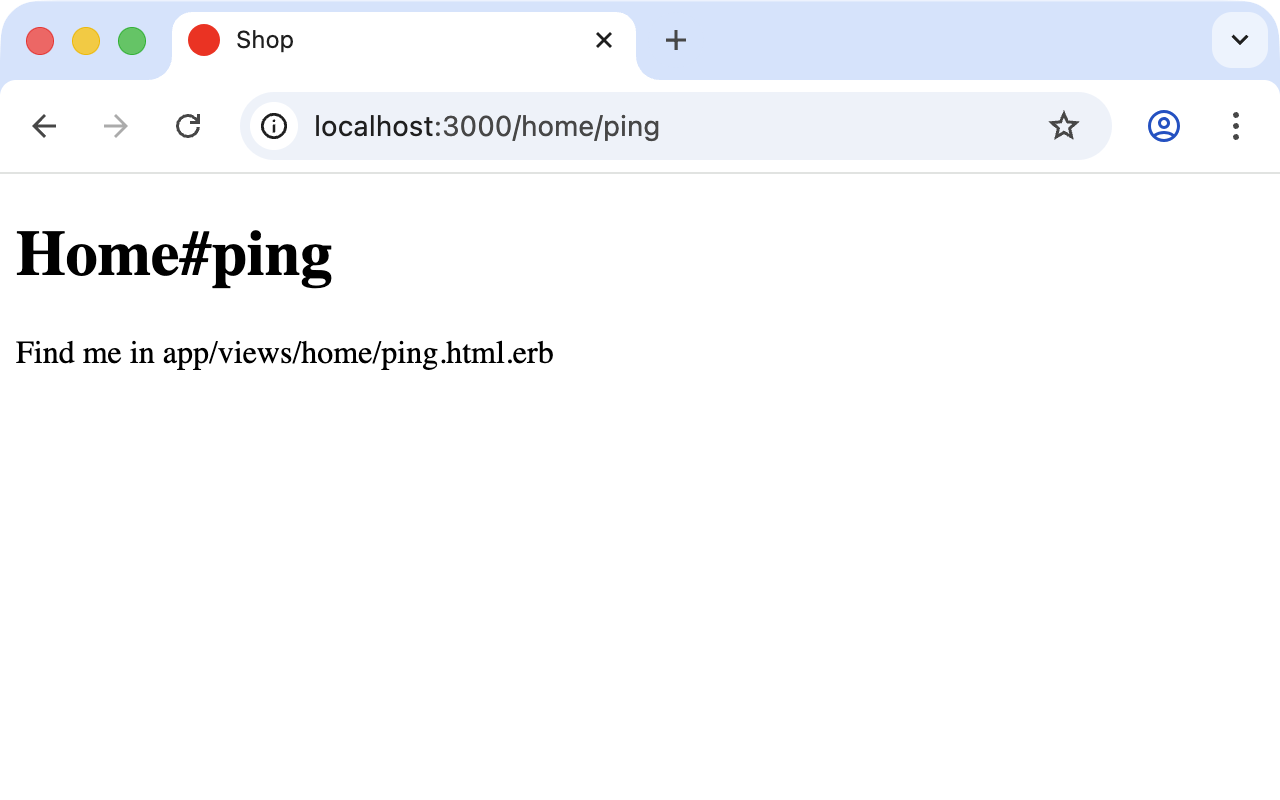
With the output home#index, Rails tells us that the route
home/index goes into the controller home and there to the
action/method index. These routes are defined in the file
config/routes.rb. bin/rails generate controller Home index ping
pong has automatically inserted the following lines there:
get "home/index"
get "home/ping"
get "home/pong"
Naming a Route
A route should always have an internal name which doesn’t change. In the section "HTTP Get Requests for Singular Resources" there is the following route:
home_pong GET /home/pong(.:format) home#pongThis route has the automatically-created name home_pong. Generally
you should always try to work with the name of the route within a
Rails application. So you would point a link_to to home_pong and
not to /home/pong. This has the big advantage that you can later
edit (in the best case, optimize) the routing for visitors
externally and do not need to make any changes internally in the
application. Of course you need to enter the old names with :as in
that case.
as
If you want to define the name of a route yourself you can do so
with :as. For example, the line
get "home/pong", as: "different_name"results in the route
different_name GET /home/pong(.:format) home#pongto
With to you can define a different destination for a route. For
example, the line
get "home/applepie", to: "home#ping"results in the route
home_applepie GET /home/applepie(.:format) home#pingParameters
The routing engine can not just assign fixed routes but also pass parameters which are part of the URL. A typical example would be date specifications (e.g. http://example.com/2010/12/ for all December postings).
To demonstrate this, let’s create a mini blog application:
$ rails new blog
  [...]
$ cd blog
$ bin/rails generate scaffold post subject content published_on:date
  [...]
$ bin/rails db:migrate
  [...]
As example data in db/seeds.rb we use:
Post.create(subject: "A test", published_on: "2011-10-01")
Post.create(subject: "Another test", published_on: "2011-10-01")
Post.create(subject: "And yet one more test", published_on: "2011-10-02")
Post.create(subject: "Last test", published_on: "2011-11-01")
Post.create(subject: "Very final test", published_on: "2012-11-01")
With bin/rails db:seed we populate the database:
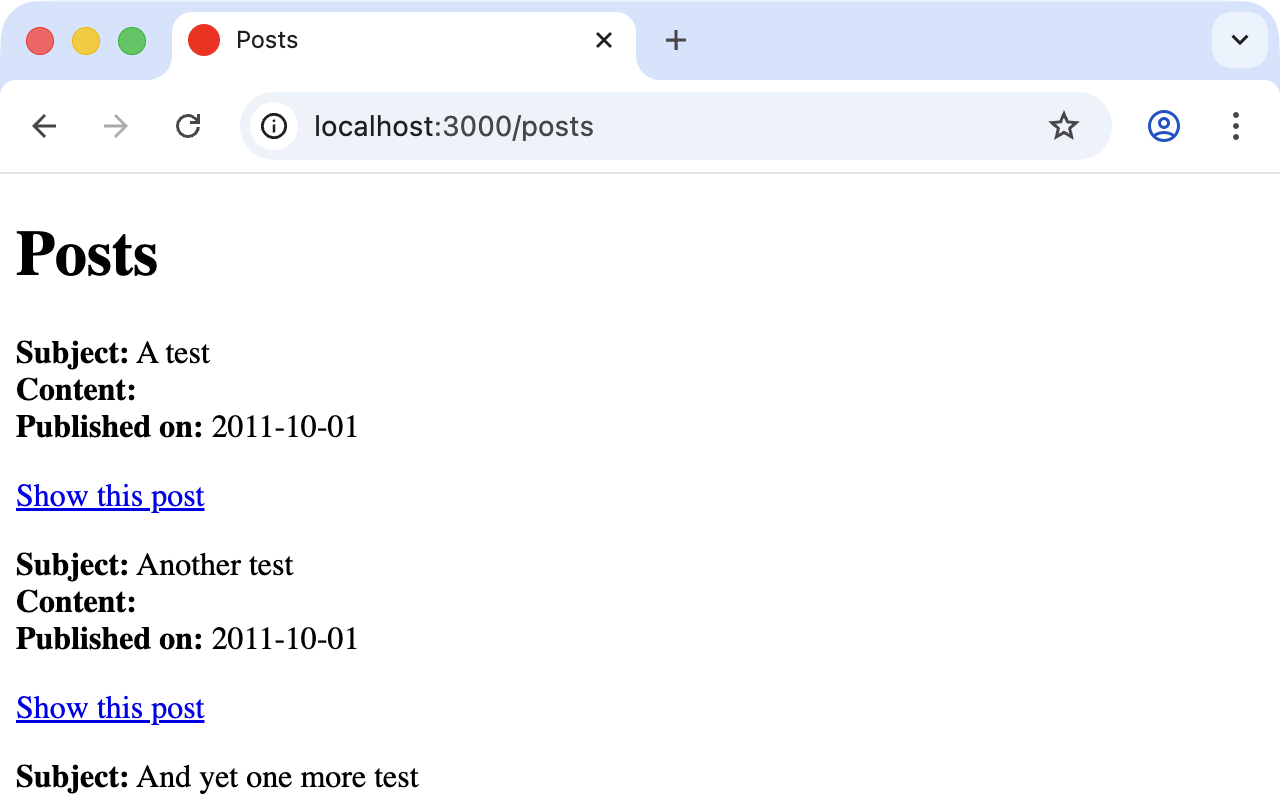
$ bin/rails db:seedIf we now start the Rails server with bin/rails server and go to
http://localhost:3000/posts in the browser we will see this:
For a blog like this it would of course be very useful if you could
render all entries for the year 2010 with the URL
http://localhost:3000/2010/ and all entries for October 1st 2010 with
http://localhost:3000/2010/10/01. We can do this by using optional
parameters. Please enter the following configuration in
config/routes.rb:
Rails.application.routes.draw do
  resources :posts

  get ":year(/:month(/:day))", to: "posts#index"
end
The round brackets represent optional parameters. In this case you
have to specify the year, but not necessarily the month or day.
bin/rails routes shows the new route after the others:
$ bin/rails routes
   Prefix Verb   URI Pattern                      Controller#Action
    posts GET    /posts(.:format)                 posts#index
          POST   /posts(.:format)                 posts#create
 new_post GET    /posts/new(.:format)             posts#new
edit_post GET    /posts/:id/edit(.:format)        posts#edit
     post GET    /posts/:id(.:format)             posts#show
          PATCH  /posts/:id(.:format)             posts#update
          PUT    /posts/:id(.:format)             posts#update
          DELETE /posts/:id(.:format)             posts#destroy
          GET    /:year(/:month(/:day))(.:format) posts#index
[...]
If we do not change anything else, we still get the same result when
calling http://localhost:3000/2011 and http://localhost:3000/2011/10/01
as we did with http://localhost:3000/posts. But have a look at the
output of bin/rails server for the request http://localhost:3000/2011
Started GET "/2011" for ::1 at 2026-04-19 11:07:12 +0200
Processing by PostsController#index as HTML
  Parameters: {"year"=>"2011"}
[...]
The route has been recognised and a "year" ⇒ "2011" has been
assigned to the params hash. Going to the URL
http://localhost:3000/2010/12/24 results in the following output, as
expected:
Started GET "/2010/12/24" for ::1 at 2026-04-19 11:07:22 +0200
Processing by PostsController#index as HTML
  Parameters: {"year"=>"2010", "month"=>"12", "day"=>"24"}
[...]
In the controller we can access params[] to read the values from
the URL. We simply need to adapt the index method in
app/controllers/posts_controller.rb to output the posts entered
for the corresponding date, month or year:
# GET /posts or /posts.json
def index
  if params[:year] && params[:month] && params[:day]
    start_date = Date.parse("#{params[:day]}.#{params[:month]}.#{params[:year]}")
    end_date = start_date
  elsif params[:year] && params[:month]
    start_date = Date.parse("1.#{params[:month]}.#{params[:year]}")
    end_date = start_date.end_of_month
  elsif params[:year]
    start_date = Date.parse("1.1.#{params[:year]}")
    end_date = start_date.end_of_year
  end

  @posts = if start_date && end_date
    Post.where(published_on: start_date..end_date)
  else
    Post.all
  end
end
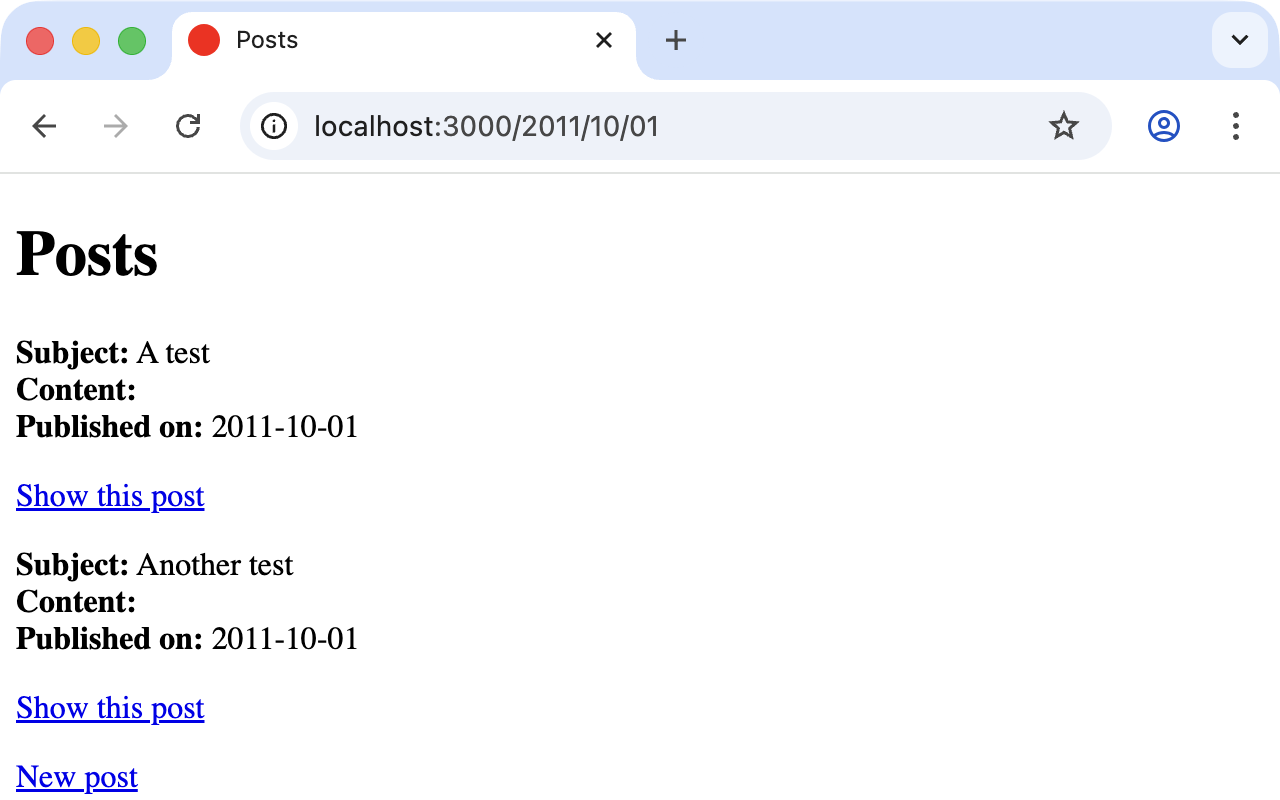
If we now go to http://localhost:3000/2011/10/01 we can see all
posts of October 1st 2011.
Constraints
In the section "Parameters" I showed
you how you can read out parameters from the URL and pass them to
the controller. Unfortunately, the entry defined there in the
config/routes.rb
get ":year(/:month(/:day))", to: "posts#index"has one important disadvantage: it does not verify the individual
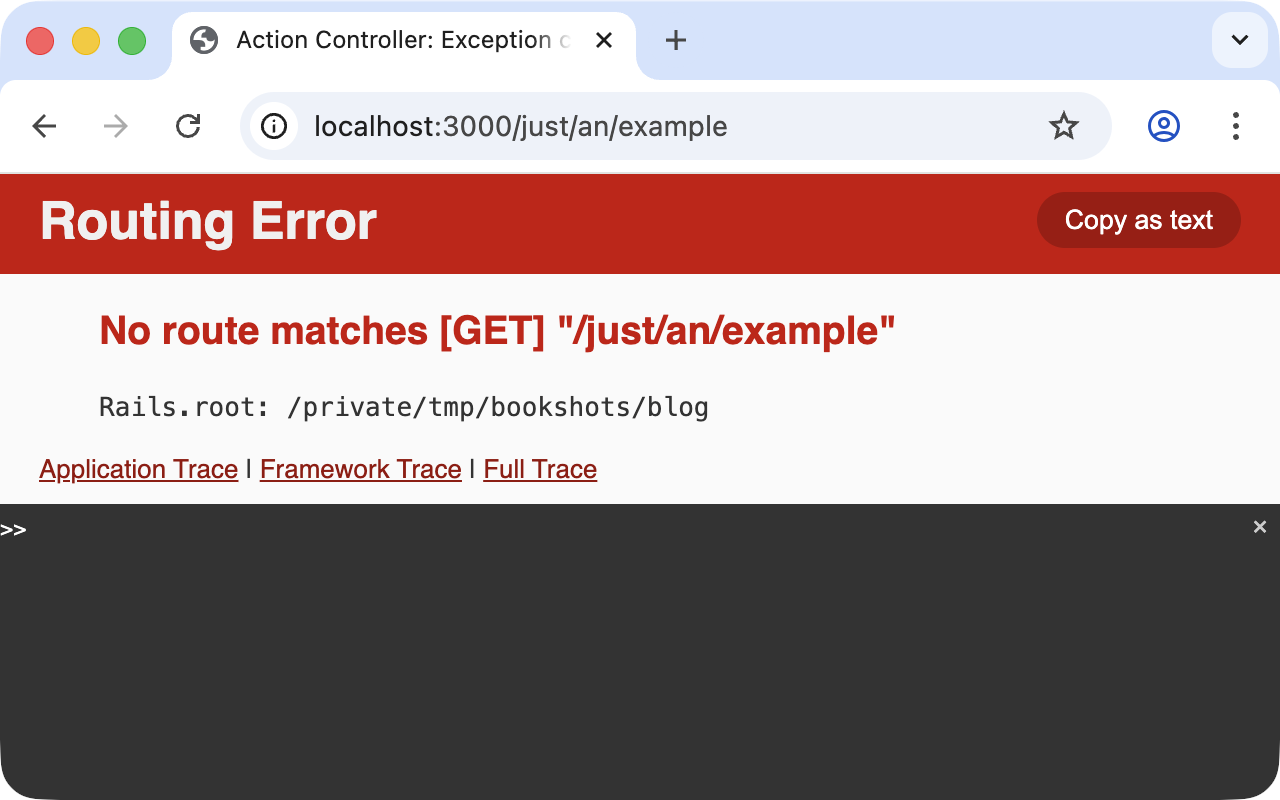
elements. For example, the URL http://localhost:3000/just/an/example
will also be matched by this route and then of course produces an
error because Date.parse("example.an.just") doesn’t work:
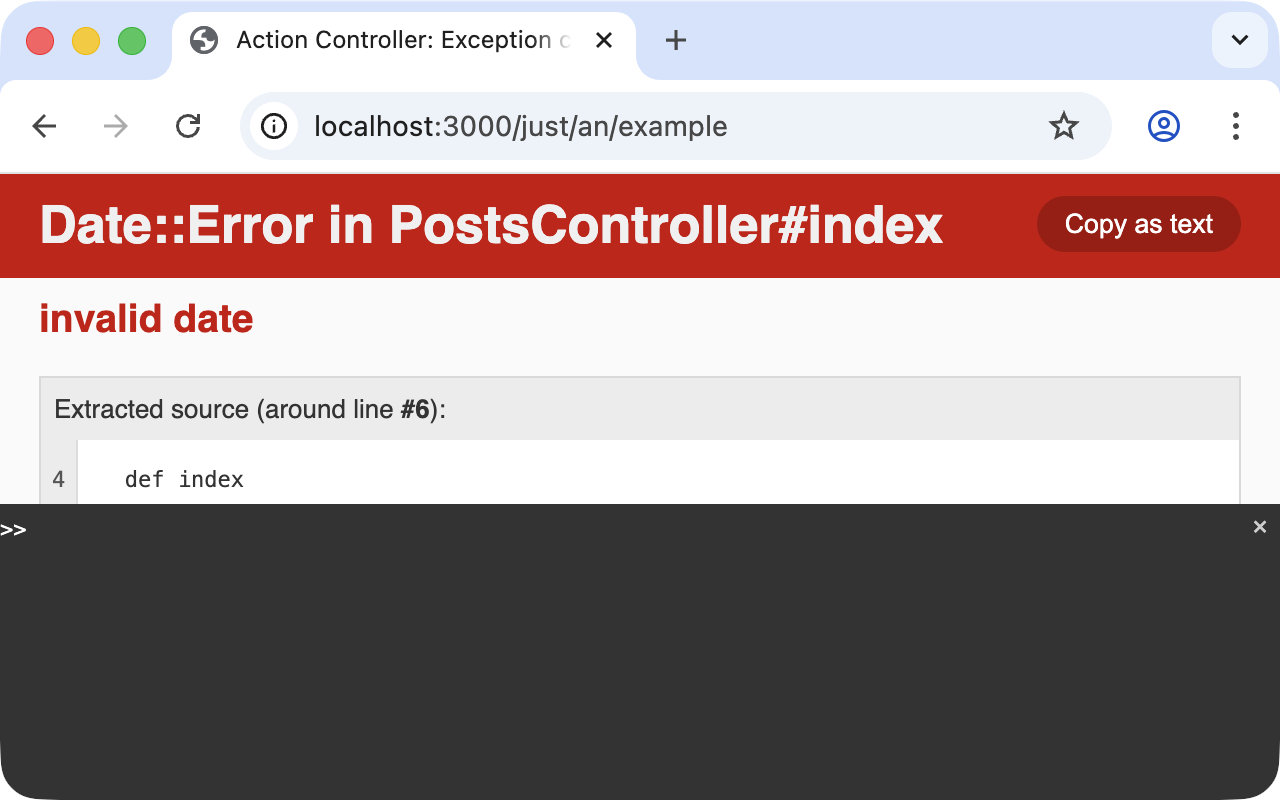
In the log output in log/development.log we can see something like:
Started GET "/just/an/example" for ::1 at 2026-04-19 11:08:01 +0200
Processing by PostsController#index as HTML
  Parameters: {"year"=>"just", "month"=>"an", "day"=>"example"}
Completed 500 Internal Server Error in 4ms (ActiveRecord: 0.0ms)

Date::Error (invalid date):
  app/controllers/posts_controller.rb:7:in 'parse'
  app/controllers/posts_controller.rb:7:in 'index'
Obviously, Date.parse("example.an.just") does not work. A date is
made of numbers, not letters.
Constraints can define the content of the URL more precisely via
regular expressions. In the case of our blog, config/routes.rb
with constraints would look like this:
Rails.application.routes.draw do
  resources :posts

  get ":year(/:month(/:day))", to: "posts#index",
      constraints: { year: /\d{4}/, month: /\d{2}/, day: /\d{2}/ }
end
Please note that you cannot use regex anchors such as ^
in regular expressions in a constraint.
|
If we go to the URL again with this configuration, Rails returns a 404 with the message "No route matches":
Redirects
Our current application answers requests in the format YYYY/MM/DD (4
digits for the year, 2 digits for the month and 2 digits for the day).
That is OK for machines but a human would probably request a single-
digit month (like January) and a single-digit day without adding the
extra 0 to make it two digits. We can fix that with a couple of
redirect rules which catch these URLs and redirect them to the
correct ones.
Rails.application.routes.draw do
  resources :posts

  get ":year/:month/:day", to: redirect("/%{year}/0%{month}/0%{day}"),
      constraints: { year: /\d{4}/, month: /\d{1}/, day: /\d{1}/ }
  get ":year/:month/:day", to: redirect("/%{year}/0%{month}/%{day}"),
      constraints: { year: /\d{4}/, month: /\d{1}/, day: /\d{2}/ }
  get ":year/:month/:day", to: redirect("/%{year}/%{month}/0%{day}"),
      constraints: { year: /\d{4}/, month: /\d{2}/, day: /\d{1}/ }
  get ":year/:month",      to: redirect("/%{year}/0%{month}"),
      constraints: { year: /\d{4}/, month: /\d{1}/ }

  get ":year(/:month(/:day))", to: "posts#index",
      constraints: { year: /\d{4}/, month: /\d{2}/, day: /\d{2}/ }
end
With this set of redirect rules we can ensure that a user of the page can also enter single-digit days and months and still ends up in the right place, or is redirected to the correct format.
Redirects in config/routes.rb are by default HTTP redirects
with the code 301 ("Moved Permanently"). So even search
engines will profit from this. Pass status: 302 as a second
argument to redirect() if you need a temporary redirect
instead.
|
root "controller#action"
Rails provides a shortcut for the / (root) route. Assuming you
want to render the index view of the posts controller you’d use
this configuration:
Rails.application.routes.draw do
  resources :posts

  root "posts#index"
end
If you don’t want to show any of the resource pages you can create a
new controller (for example Page) with an index action:
$ bin/rails generate controller Page indexThen you can use the following configuration to present it as your root page:
Rails.application.routes.draw do
  resources :posts

  get "page/index"
  root "page#index"
end
resources
resources provides routes for a RESTful resource. Let’s try it with
the mini blog application:
$ rails new blog
  [...]
$ cd blog
$ bin/rails generate scaffold post subject content published_on:date
  [...]
$ bin/rails db:migrate
  [...]
The scaffold generator automatically creates a resources route in
config/routes.rb:
Rails.application.routes.draw do
  resources :posts
end
New routes are always added at the top of config/routes.rb
by bin/rails generate scripts.
|
The resulting routes:
$ bin/rails routes
   Prefix Verb   URI Pattern               Controller#Action
    posts GET    /posts(.:format)          posts#index
          POST   /posts(.:format)          posts#create
 new_post GET    /posts/new(.:format)      posts#new
edit_post GET    /posts/:id/edit(.:format) posts#edit
     post GET    /posts/:id(.:format)      posts#show
          PATCH  /posts/:id(.:format)      posts#update
          PUT    /posts/:id(.:format)      posts#update
          DELETE /posts/:id(.:format)      posts#destroy
[...]
You have already encountered these RESTful routes in "Scaffolding and REST". They are what you need for displaying and editing records.
Selecting Specific Routes with only: or except:
If you only want to use specific routes from the finished set of
RESTful routes you can limit them with :only or :except.
The following config/routes.rb defines only the routes for index
and show:
Rails.application.routes.draw do
  resources :posts, only: [:index, :show]
end
With bin/rails routes we can check the result:
$ bin/rails routes
Prefix Verb URI Pattern          Controller#Action
 posts GET  /posts(.:format)     posts#index
  post GET  /posts/:id(.:format) posts#show
[...]
except works exactly the other way round:
Rails.application.routes.draw do
  resources :posts, except: [:index, :show]
end
Now all routes except for index and show exist:
$ bin/rails routes
   Prefix Verb   URI Pattern               Controller#Action
    posts POST   /posts(.:format)          posts#create
 new_post GET    /posts/new(.:format)      posts#new
edit_post GET    /posts/:id/edit(.:format) posts#edit
     post PATCH  /posts/:id(.:format)      posts#update
          PUT    /posts/:id(.:format)      posts#update
          DELETE /posts/:id(.:format)      posts#destroy
[...]
When using only and except please make sure you also
adapt the views generated by the scaffold generator. For
example the index page links to the new view with
<%= link_to "New post", new_post_path %>, but that view
no longer exists in the first only example above.
|
Nested Resources
Nested resources refer to routes of resources that work with an
association. These can be addressed precisely via routes. Let’s
create a blog with Post and a second resource Comment:
$ rails new nested-blog
  [...]
$ cd nested-blog
$ bin/rails generate scaffold post subject body:text
  [...]
$ bin/rails generate scaffold comment post:references content
  [...]
$ bin/rails db:migrate
  [...]
Now we associate the two resources. In app/models/post.rb we add a
has_many:
class Post < ApplicationRecord
  has_many :comments, dependent: :destroy
end
And in app/models/comment.rb its counterpart belongs_to was
already added for us by the post:references option when we
generated the scaffold:
class Comment < ApplicationRecord
  belongs_to :post
end
The routes generated by the scaffold generator look like this:
$ bin/rails routes
      Prefix Verb   URI Pattern                  Controller#Action
    comments GET    /comments(.:format)          comments#index
             POST   /comments(.:format)          comments#create
 new_comment GET    /comments/new(.:format)      comments#new
edit_comment GET    /comments/:id/edit(.:format) comments#edit
     comment GET    /comments/:id(.:format)      comments#show
             PATCH  /comments/:id(.:format)      comments#update
             PUT    /comments/:id(.:format)      comments#update
             DELETE /comments/:id(.:format)      comments#destroy
       posts GET    /posts(.:format)             posts#index
             POST   /posts(.:format)             posts#create
    new_post GET    /posts/new(.:format)         posts#new
   edit_post GET    /posts/:id/edit(.:format)    posts#edit
        post GET    /posts/:id(.:format)         posts#show
             PATCH  /posts/:id(.:format)         posts#update
             PUT    /posts/:id(.:format)         posts#update
             DELETE /posts/:id(.:format)         posts#destroy
So we can get the first post with /posts/1 and all the comments
with /comments. By using nesting, we could get all comments with
the post_id 1 via /posts/1/comments.
To achieve this we need to change config/routes.rb:
Rails.application.routes.draw do
  resources :posts do
    resources :comments
  end
end
This gives us the desired routes:
$ bin/rails routes
           Prefix Verb   URI Pattern                                 Controller#Action
    post_comments GET    /posts/:post_id/comments(.:format)          comments#index
                  POST   /posts/:post_id/comments(.:format)          comments#create
 new_post_comment GET    /posts/:post_id/comments/new(.:format)      comments#new
edit_post_comment GET    /posts/:post_id/comments/:id/edit(.:format) comments#edit
     post_comment GET    /posts/:post_id/comments/:id(.:format)      comments#show
                  PATCH  /posts/:post_id/comments/:id(.:format)      comments#update
                  PUT    /posts/:post_id/comments/:id(.:format)      comments#update
                  DELETE /posts/:post_id/comments/:id(.:format)      comments#destroy
            posts GET    /posts(.:format)                            posts#index
                  POST   /posts(.:format)                            posts#create
         new_post GET    /posts/new(.:format)                        posts#new
        edit_post GET    /posts/:id/edit(.:format)                   posts#edit
             post GET    /posts/:id(.:format)                        posts#show
                  PATCH  /posts/:id(.:format)                        posts#update
                  PUT    /posts/:id(.:format)                        posts#update
                  DELETE /posts/:id(.:format)                        posts#destroy
But we still need to make some changes in
app/controllers/comments_controller.rb. This ensures that only the
Comments of the specified Post can be displayed or changed:
class CommentsController < ApplicationController
  before_action :set_post
  before_action :set_comment, only: %i[ show edit update destroy ]

  def index
    @comments = @post.comments
  end

  def show
  end

  def new
    @comment = @post.comments.build
  end

  def edit
  end

  def create
    @comment = @post.comments.build(comment_params)

    respond_to do |format|
      if @comment.save
        format.html { redirect_to post_comment_path(@post, @comment), notice: "Comment was successfully created." }
        format.json { render :show, status: :created, location: @comment }
      else
        format.html { render :new, status: :unprocessable_entity }
        format.json { render json: @comment.errors, status: :unprocessable_entity }
      end
    end
  end

  def update
    respond_to do |format|
      if @comment.update(comment_params)
        format.html { redirect_to post_comment_path(@post, @comment), notice: "Comment was successfully updated.", status: :see_other }
        format.json { render :show, status: :ok, location: @comment }
      else
        format.html { render :edit, status: :unprocessable_entity }
        format.json { render json: @comment.errors, status: :unprocessable_entity }
      end
    end
  end

  def destroy
    @comment.destroy!

    respond_to do |format|
      format.html { redirect_to post_comments_path(@post), notice: "Comment was successfully destroyed.", status: :see_other }
      format.json { head :no_content }
    end
  end

  private
    def set_post
      @post = Post.find(params[:post_id])
    end

    def set_comment
      @comment = @post.comments.find(params[:id])
    end

    def comment_params
      params.expect(comment: [ :content ])
    end
end
Unfortunately this is only half the story, because the views still link to the old, non-nested routes. So we need to adapt each view in accordance with the nested route.
You need to change the form_with call to form_with(model: [post,
comment]) (a two-element array tells Rails the URL belongs under
the nested route). We don’t need the post_id form field anymore
because that information is already in the URL.
<%= form_with(model: [post, comment]) do |form| %>
  <% if comment.errors.any? %>
    <div style="color: red">
      <h2><%= pluralize(comment.errors.count, "error") %> prohibited this comment from being saved:</h2>

      <ul>
        <% comment.errors.each do |error| %>
          <li><%= error.full_message %></li>
        <% end %>
      </ul>
    </div>
  <% end %>

  <div>
    <%= form.label :content, style: "display: block" %>
    <%= form.text_field :content %>
  </div>

  <div>
    <%= form.submit %>
  </div>
<% end %><h1>Editing Comment</h1>
<%= render "form", comment: @comment, post: @post %>
<%= link_to "Show", post_comment_path(@post, @comment) %> |
<%= link_to "Back to comments", post_comments_path(@post) %><% content_for :title, "Comments" %>
<h1>Comments for "<%= @post.subject %>"</h1>
<div id="comments">
<% @comments.each do |comment| %>
<%= render comment %>
<p>
<%= link_to "Show this comment", post_comment_path(@post, comment) %>
</p>
<% end %>
</div>
<%= link_to "New comment", new_post_comment_path(@post) %> |
<%= link_to "Back to post", @post %><h1>New Comment</h1>
<%= render "form", comment: @comment, post: @post %>
<%= link_to "Back to comments", post_comments_path(@post) %><%= render @comment %>
<div>
<%= link_to "Edit this comment", edit_post_comment_path(@post, @comment) %> |
<%= link_to "Back to comments", post_comments_path(@post) %>
<%= button_to "Destroy this comment", post_comment_path(@post, @comment), method: :delete %>
</div>Please go ahead and experiment with the URLs listed under bin/rails
routes. You can now generate a new post with /posts/new and a new
comment for this post with /posts/1/comments/new.
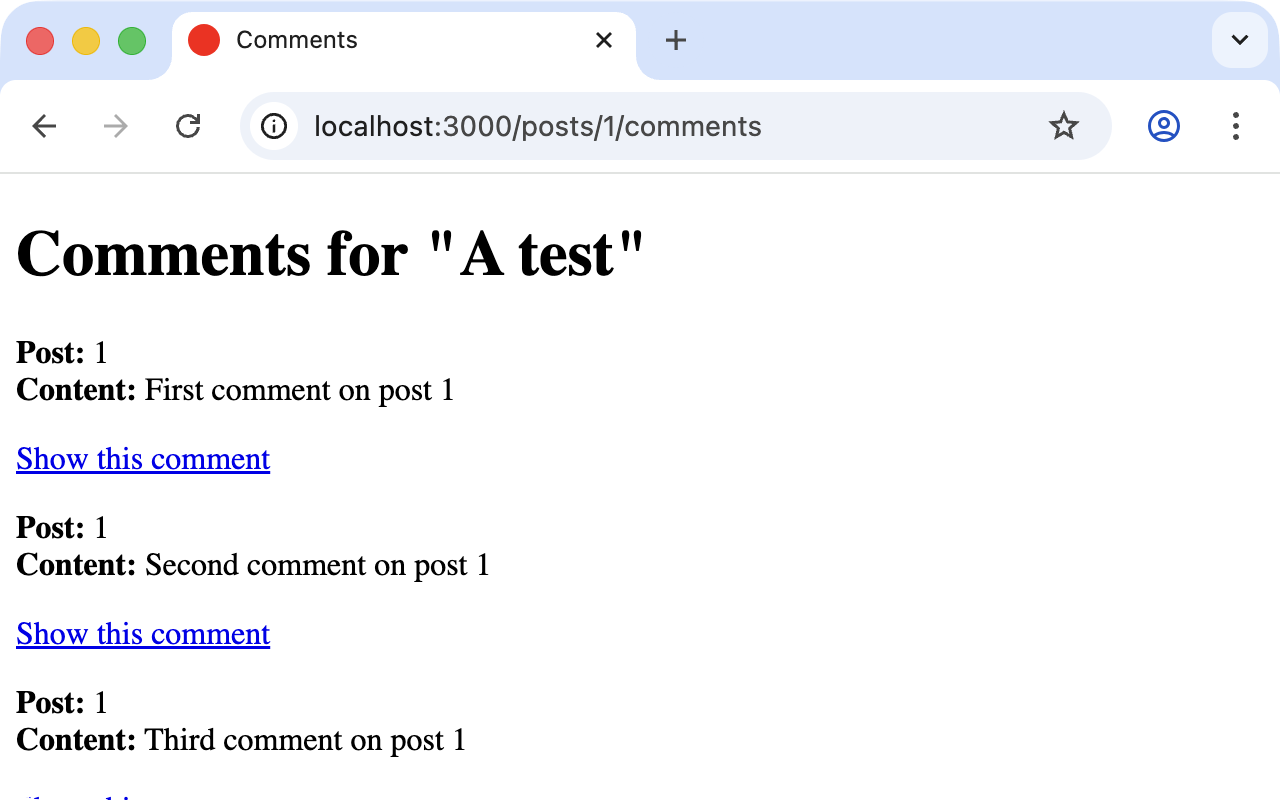
If you want to see all comments of the first post you can access that with http://localhost:3000/posts/1/comments. It would look like this:
Shallow Nesting
Sometimes it is a better option to use shallow nesting. For our
example the config/routes.rb would contain the following routes:
Rails.application.routes.draw do
  resources :posts do
    resources :comments, only: [:index, :new, :create]
  end

  resources :comments, except: [:index, :new, :create]
end
That would lead to a less messy bin/rails routes output:
$ bin/rails routes
          Prefix Verb   URI Pattern                            Controller#Action
   post_comments GET    /posts/:post_id/comments(.:format)     comments#index
                 POST   /posts/:post_id/comments(.:format)     comments#create
new_post_comment GET    /posts/:post_id/comments/new(.:format) comments#new
           posts GET    /posts(.:format)                       posts#index
                 POST   /posts(.:format)                       posts#create
        new_post GET    /posts/new(.:format)                   posts#new
       edit_post GET    /posts/:id/edit(.:format)              posts#edit
            post GET    /posts/:id(.:format)                   posts#show
                 PATCH  /posts/:id(.:format)                   posts#update
                 PUT    /posts/:id(.:format)                   posts#update
                 DELETE /posts/:id(.:format)                   posts#destroy
    edit_comment GET    /comments/:id/edit(.:format)           comments#edit
         comment GET    /comments/:id(.:format)                comments#show
                 PATCH  /comments/:id(.:format)                comments#update
                 PUT    /comments/:id(.:format)                comments#update
                 DELETE /comments/:id(.:format)                comments#destroy
Shallow nesting tries to combine the best of two worlds. And
because it is often used there is a shortcut. You can use the
following config/routes.rb to achieve it:
Rails.application.routes.draw do
  resources :posts do
    resources :comments, shallow: true
  end
end
Generally you should never nest more deeply than one level and
nested resources should feel natural. After a while you will
get a feel for it. In my opinion the most important point
about RESTful routes is that they should feel logical. If you
phone a fellow Rails programmer and say "I’ve got a resource
post and a resource comment here", then both parties
should immediately be clear on how you address these resources
via REST and how you can nest them.
|
Further Information on Routes
The topic "routes" is far more complex than we can address here. For example you can also involve other HTTP methods/verbs and constraints based on request headers. The official routing documentation at https://guides.rubyonrails.org/routing.html will give you a lot of information and examples for these features and edge cases.