Action Cable
Most modern webpages are not just static. They often get updates from the server without interaction from the user. Your email or chat application gets new messages pushed in without you reloading the page. The server pushes the information via WebSockets (https://en.wikipedia.org/wiki/WebSocket). Action Cable provides the tools you need to use these mechanisms without diving deep into the technical aspects of WebSockets.
The use of Action Cable always includes JavaScript and this book is about Ruby and Ruby on Rails. So I will only show you a minimal Hello World example of how Action Cable works to give you an idea how to proceed.
Rails 8 ships with Solid
Cable as the default Action Cable adapter. Solid Cable is
database-backed — no Redis server needed in development or
production. A fresh rails new myapp already configures it
in config/cable.yml. This example takes advantage of that.
|
For many classic "just push a DOM update" use-cases you
don’t even need to write JavaScript yourself. Rails 8 ships
Turbo Streams,
which gives you a declarative broadcasts_to API on the
server side that sends small HTML patches over Action Cable
and lets Turbo apply them to the page. See the
Hotwire chapter for a deeper
dive. The plain Action Cable example below is still the
best introduction to how it works under the hood.
|
Hello World Action Cable Example
In our first example we are going to push content from the Rails
console into a browser which shows the page#index view.
The Rails Application
Please create the following Rails application:
$ rails new hello-world-action-cable
  [...]
$ cd hello-world-action-cable
$ bin/rails db:prepare
$ bin/rails generate controller page index
  [...]
Add a root route so that we can access the page at http://localhost:3000
Rails.application.routes.draw do
  get "page/index"
  root "page#index"
end
The content of the view:
<h1>Action Cable Example</h1>

<div id="messages"></div>
Creating a Channel
Rails provides a handy generator to create a new WebSockets channel which we use to push information to the client. We call our channel "WebNotifications".
$ bin/rails generate channel WebNotifications
      create  app/channels/web_notifications_channel.rb
      create  app/javascript/channels/web_notifications_channel.js
Rails 8 puts the client-side channel file under
app/javascript/channels/, loaded via Stimulus + importmap. We
edit app/javascript/channels/web_notifications_channel.js to
append whatever HTML the server sends to the #messages div:
import consumer from "channels/consumer"

consumer.subscriptions.create("WebNotificationsChannel", {
  connected() {
    // Called when the subscription is ready for use.
  },

  disconnected() {
    // Called when the subscription has been terminated.
  },

  received(data) {
    const el = document.getElementById("messages")
    if (el) el.insertAdjacentHTML("beforeend", data.message)
  }
})
And we wire the server side of the channel:
class WebNotificationsChannel < ApplicationCable::Channel
  def subscribed
    stream_from "web_notifications_channel"
  end

  def unsubscribed
  end
end
Older editions of this book used jQuery and CoffeeScript to
add messages to the DOM. Neither is shipped with Rails 8.
The plain document.getElementById(…).insertAdjacentHTML(…)
above does the same job in three lines of modern JavaScript,
no dependencies needed.
|
Verify the Cable Adapter
A fresh Rails 8 app’s config/cable.yml already points at Solid
Cable in both development and production:
default: &default
  adapter: solid_cable
  connects_to:
    database:
      writing: cable
  polling_interval: 0.1.seconds
  message_retention: 1.day

development:
  <<: *default

test:
  adapter: test

production:
  <<: *default
You do not need a separate Redis server. The necessary database
tables were created for you when you ran bin/rails db:prepare.
If you prefer the old Redis adapter you can still use it —
add gem "redis" and change config/cable.yml to
adapter: redis with a url: pointing at your Redis
server. We recommend sticking with Solid Cable for the
simplicity.
|
Fire It Up
Start the development server in one terminal:
$ bin/rails serverLoad http://localhost:3000 in your web browser. In the log you’ll see something like:
Started GET "/" for ::1 at 2026-04-19 23:30:56 +0200
Processing by PageController#index as HTML
  Rendering layout layouts/application.html.erb
  Rendering page/index.html.erb within layouts/application
  Rendered page/index.html.erb within layouts/application
Completed 200 OK in 12ms (Views: 9.1ms)

Started GET "/cable" for ::1 at 2026-04-19 23:30:57 +0200
Started GET "/cable/" [WebSocket] for ::1 at 2026-04-19 23:30:57 +0200
Successfully upgraded to WebSocket
WebNotificationsChannel is transmitting the subscription confirmation
WebNotificationsChannel is streaming from web_notifications_channel
Now open a second terminal, go into the Rails project and use
ActionCable.server.broadcast in the console to broadcast a
message to web_notifications_channel:
$ bin/rails console
Loading development environment (Rails 8.1.3)
irb(main):001> ActionCable.server.broadcast("web_notifications_channel", { message: "<p>Hello World!</p>" })
[ActionCable] Broadcasting to web_notifications_channel:
{:message=>"<p>Hello World!</p>"}
=> 1
Now you can see the update in your browser window:
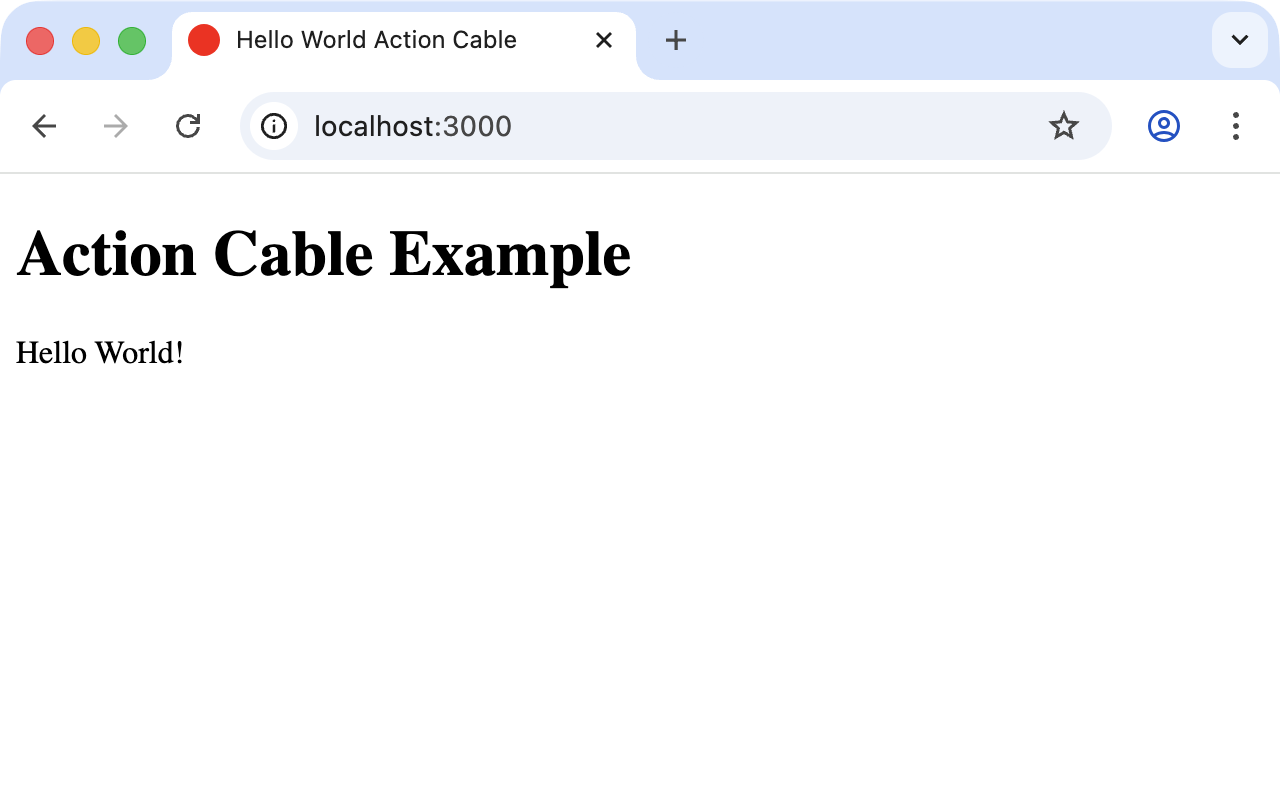
You can add other messages by calling
ActionCable.server.broadcast("web_notifications_channel", { message: "<p>Hello again!</p>" })
again.
Congratulations! You have your first working Action Cable application.
If you want to replace the whole #messages content
instead of appending to it, change insertAdjacentHTML(…)
to el.innerHTML = data.message in the channel JavaScript.
|
When to Use Turbo Streams Instead
Writing the JavaScript yourself is educational but rarely what you actually want in a real Rails 8 application. Turbo Streams lets you broadcast the rendered HTML of a partial directly to every subscriber of a channel from the server side, with no hand-written JS. The canonical example looks like this:
class Message < ApplicationRecord
  broadcasts_to ->(message) { [message.chatroom, :messages] }, inserts_by: :append
end<%= turbo_stream_from @chatroom, :messages %>
<div id="messages">
<%= render @chatroom.messages %>
</div>Any Message.create!(chatroom: chatroom, body: "hi") now appends
a fresh <div> to every browser open on that chat room — no
channel, no JavaScript, no manual broadcast. See the
Hotwire chapter for the full story.