Cookies and Sessions
Cookies
With a cookie you can store information on the web browser’s system in the form of strings as key-value pairs that the web server has previously sent to this browser. The information is later sent back from the browser to the server in the HTTP header. A cookie (if configured accordingly) is not deleted from the browser system by restarting the browser or the whole system. Of course, the browser’s human user can manually delete the cookie.
| A browser does not have to accept cookies and it does not have to save them either. But we live in a world where almost every page uses cookies. So most users will have enabled cookies. For more information on cookies please visit Wikipedia at https://en.wikipedia.org/wiki/HTTP_cookie. |
A cookie can only have a limited size (the maximum is 4 kB). You should remember that the information of the saved cookies is sent from the browser to the server on every request. So you should only use cookies for storing small amounts of data (for example a customer id) to avoid the protocol overhead becoming too big.
Rails provides a hash with the name cookies[] that we can use
transparently. Rails automatically takes care of the technical
details in the background.
To demonstrate how cookies work, we are going to build a Rails application that places a cookie on a page, reads it out on another page, and deletes it on a third page.
$ rails new cookie_jar
  [...]
$ cd cookie_jar
$ bin/rails db:prepare
$ bin/rails generate controller Home set_cookies show_cookies delete_cookies
  [...]
We populate app/controllers/home_controller.rb as follows:
class HomeController < ApplicationController
  def set_cookies
    cookies[:user_name]       = "Smith"
    cookies[:customer_number] = "1234567890"
  end

  def show_cookies
    @user_name       = cookies[:user_name]
    @customer_number = cookies[:customer_number]
  end

  def delete_cookies
    cookies.delete :user_name
    cookies.delete :customer_number
  end
end
And the view file app/views/home/show_cookies.html.erb as follows:
<table>
  <tr>
    <td>User Name:</td>
    <td><%= @user_name %></td>
  </tr>
  <tr>
    <td>Customer Number:</td>
    <td><%= @customer_number %></td>
  </tr>
</table>
Start the Rails server with bin/rails server and go to
http://localhost:3000/home/show_cookies in your browser. You will
not see any values.
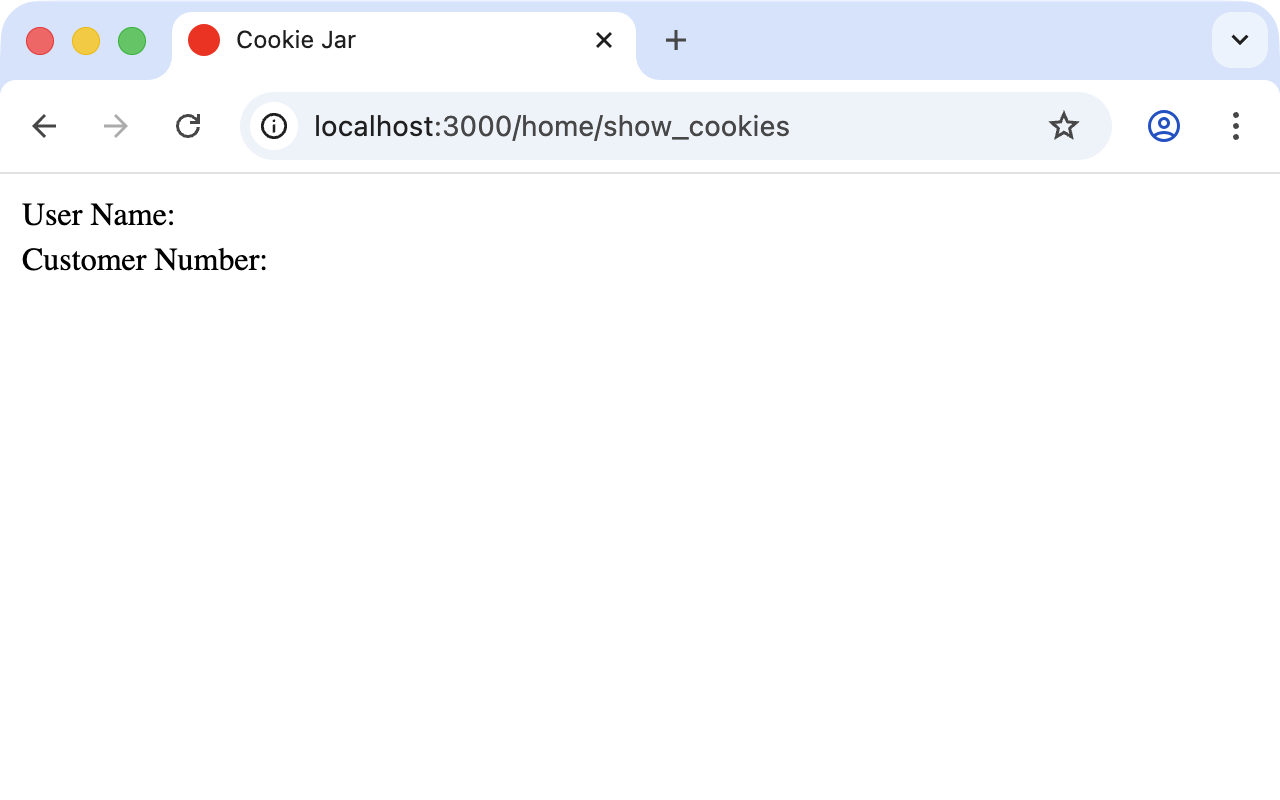
Now go to http://localhost:3000/home/set_cookies and then back to
http://localhost:3000/home/show_cookies. Now you will see the
values that we set in the method set_cookies.
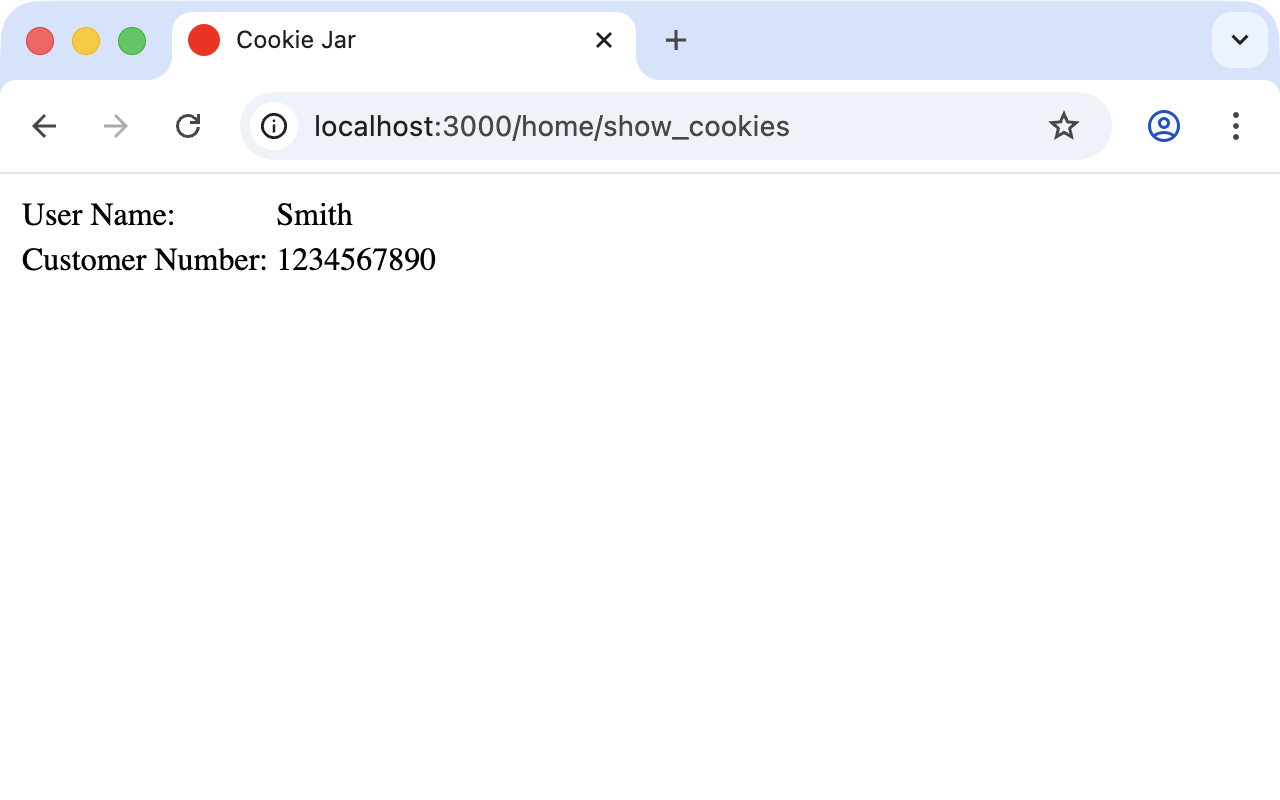
By requesting http://localhost:3000/home/delete_cookies you can delete the cookies again.
The cookies you have placed in this way stay alive in the browser until you close the browser completely.
Permanent Cookies
Cookies are normally set to give the application a way of recognizing
users when they visit again later. Between these visits to the
website much time can go by and the user may well close the browser
in the meantime. To store cookies for longer than the current
browser session you can use the method permanent. Our example can
be expanded by adding this method in
app/controllers/home_controller.rb:
class HomeController < ApplicationController
  def set_cookies
    cookies.permanent[:user_name]       = "Smith"
    cookies.permanent[:customer_number] = "1234567890"
  end

  def show_cookies
    @user_name       = cookies[:user_name]
    @customer_number = cookies[:customer_number]
  end

  def delete_cookies
    cookies.delete :user_name
    cookies.delete :customer_number
  end
end
"permanent" here does not really mean permanent. You
cannot set a cookie permanently. When you set a cookie it
always needs a "valid until" stamp that the browser can
use to automatically delete old cookies. With the method
permanent this value is set to today’s date plus 20
years.
|
Signed and Encrypted Cookies
With normally-placed cookies you have no way to tell if the user has tampered with the cookie. This can quickly lead to security problems because changing the content of a cookie in the browser is no great mystery. Rails offers two safer alternatives: signed cookies (tamper-proof but still readable by the user) and encrypted cookies (tamper-proof and unreadable by the user).
Both are derived from the application’s secret key base. On Rails
7+ that key is stored in the encrypted credentials file
config/credentials.yml.enc and the decryption master key lives in
config/master.key (which is .gitignore`d by default). An
environment variable `RAILS_MASTER_KEY works too and is what you
want to use in production; see
Credentials.
The file config/secrets.yml mentioned in older books and
tutorials was removed in Rails 7. Don’t look for it — it has
been replaced by the per-environment credentials system.
|
To sign cookies, use the method signed. You have to use it for
writing and reading the cookie. Our example updated:
class HomeController < ApplicationController
  def set_cookies
    cookies.signed.permanent[:user_name]       = "Smith"
    cookies.signed.permanent[:customer_number] = "1234567890"
  end

  def show_cookies
    @user_name       = cookies.signed[:user_name]
    @customer_number = cookies.signed[:customer_number]
  end

  def delete_cookies
    cookies.delete :user_name
    cookies.delete :customer_number
  end
end
For encrypted cookies replace signed with encrypted:
cookies.encrypted.permanent[:customer_number] = "1234567890"
[...]
@customer_number = cookies.encrypted[:customer_number]
A signed cookie’s value is still readable by the user (just
base64-ish). An encrypted cookie is fully opaque. Use encrypted
when the value itself should be kept from the user; use signed
when you only need to prevent tampering.
Sessions
As HTTP is a stateless protocol we encounter special problems when
developing applications. An individual web page has no connection
to the next web page and they do not know of one another. But as
you want to register only once on a website — not over and over
again on each individual page — this can pose a problem. The
solution is called a session and Rails offers it transparently as
a session[] hash. Rails automatically creates a new session for
each new visitor. This session is saved by default as an
encrypted cookie, so it is subject to the 4 kB limit and is
effectively tamper-proof. You can also store the sessions in the
database or in a cache store (see
"Saving
Sessions in the Database"). An independent and unique session ID
is created automatically and the cookie is deleted by default when
the web browser is closed.
The beauty of a Rails session is that we can not just save strings there as with cookies but any object (hashes, arrays, structs…). So you can for example use it to conveniently implement a shopping cart in an online shop.
Breadcrumbs via Session
As an example, we create an application with a controller and three actions. When a view is visited the previously-visited views are displayed in a little list.
The basic application:
$ rails new breadcrumbs
  [...]
$ cd breadcrumbs
$ bin/rails db:prepare
$ bin/rails generate controller Home ping pong index
  [...]
First we create a method with which we can save the last three URLs
in the session and set an instance variable @breadcrumbs to be
able to neatly retrieve the values in the view. To that end we set
up a before_action in app/controllers/home_controller.rb:
class HomeController < ApplicationController
  before_action :set_breadcrumbs

  def ping
  end

  def pong
  end

  def index
  end

  private
    def set_breadcrumbs
      @breadcrumbs = session[:breadcrumbs] || []
      @breadcrumbs.push(request.url)
      @breadcrumbs.shift if @breadcrumbs.count > 4
      session[:breadcrumbs] = @breadcrumbs
    end
end
Now we use app/views/layouts/application.html.erb to display these
entries at the top of each page:
<!DOCTYPE html>
<html>
  <head>
    <title>Breadcrumbs</title>
    <%= csrf_meta_tags %>
    <%= csp_meta_tag %>
    <%= stylesheet_link_tag :app, "data-turbo-track": "reload" %>
    <%= javascript_importmap_tags %>
  </head>

  <body>
    <% if @breadcrumbs && @breadcrumbs.any? %>
      <h3>Surf History</h3>
      <ul>
        <% @breadcrumbs[0..2].each do |breadcrumb| %>
          <li><%= link_to breadcrumb, breadcrumb %></li>
        <% end %>
      </ul>
    <% end %>

    <%= yield %>
  </body>
</html>
Now you can start the Rails server with bin/rails server and go to
http://localhost:3000/home/ping, http://localhost:3000/home/pong or
http://localhost:3000/home/index and at the top you will then see
the pages you have visited before. Of course this only works from
the second page onward, because you do not yet have a history on
the first page you visit.
reset_session
Occasionally there are situations where you want to reset a session (in other words, delete the current session and start again with a new, fresh one). For example, when you log out of a web application the session will be reset. Let’s quickly integrate it into our breadcrumb application.
$ bin/rails generate controller Home reset --skip-routes
      create  app/controllers/home_controller.rb
      invoke  erb
      create    app/views/home
      create    app/views/home/reset.html.erb
[...]
Add the route manually in config/routes.rb:
get "home/reset"And the expanded controller app/controllers/home_controller.rb:
class HomeController < ApplicationController
  before_action :set_breadcrumbs

  def ping
  end

  def pong
  end

  def index
  end

  def reset
    reset_session
    @breadcrumbs = nil
  end

  private
    def set_breadcrumbs
      @breadcrumbs = session[:breadcrumbs] || []
      @breadcrumbs.push(request.url)
      @breadcrumbs.shift if @breadcrumbs.count > 4
      session[:breadcrumbs] = @breadcrumbs
    end
end
So you can delete the current session by going to the URL http://localhost:3000/home/reset.
It’s not just important to invoke reset_session, but
you need to also set the instance variable @breadcrumbs
to nil. Otherwise the old breadcrumbs would still
appear in the view on that one request.
|
Saving Sessions in the Database
Saving the entire session data in a cookie on the user’s browser is not always the best solution. Among other things, the 4 kB limit can pose a problem. But it’s no big obstacle — we can relocate the session from the cookie to the database with the Active Record Session Store gem (https://github.com/rails/activerecord-session_store). Then the session ID is still saved in a cookie, but all the other session data is stored in the database on the server.
To install the gem add it to the Gemfile:
gem "activerecord-session_store"After that run bundle install:
$ bundle install
[...]
Then run bin/rails generate active_record:session_migration and
bin/rails db:migrate to create the needed table in the database:
$ bin/rails generate active_record:session_migration
      create  db/migrate/20260419120000_add_sessions_table.rb
$ bin/rails db:migrate
== 20260419120000 AddSessionsTable: migrating =================================
-- create_table(:sessions)
   -> 0.0019s
-- add_index(:sessions, :session_id, {:unique=>true})
   -> 0.0008s
-- add_index(:sessions, :updated_at)
   -> 0.0008s
== 20260419120000 AddSessionsTable: migrated (0.0037s) ========================
Then change the session_store in
config/initializers/session_store.rb to :active_record_store
(create the file if it doesn’t exist):
Rails.application.config.session_store :active_record_store, key: "_my_app_session"Job done. Now start the server again with bin/rails server and
Rails saves all sessions in the database.
For a modern Rails 8 application with Solid Cache you can also
use the cache store as a session store:
Rails.application.config.session_store :cache_store, key:
     "_my_app_session"
. It’s lighter-weight than adding another
gem and plays nicely with the database-backed Solid Cache that
ships by default.
|